
Leonardo.AI: From Game-Asset Generator to Canva’s Big Text-to-Image Bet
The platform promises lifelike images and real-time edits

After MidJourney blew minds in 2022, Leonardo quickly followed suit in the battle of rad-looking text-to-image AI. I personally didn’t mess with MidJourney as much as I should have when it first dropped, but plenty of my friends were hooked on it like heroin: hours in front of the computer like drooling zombies, jumping on Discord, obsessing over prompts, and staring at the screen as some fantastical piece of animation slowly crawled to life pixel by pixel, like downloading broadband network porn in the mid-’90s.
Then Leonardo came along, simplifying the MidJourney experience a bit by ditching Discord and adding some Photoshop-like editing controls that give creators a bit more flexibility.
But is it better, equal or worse? Is text-to-image AI finally moving past the uncanny valley? Let’s see.
WHAT EXACTLY IS IT?
Founded in Sydney in December 2022 and used primarily as a game-asset generator, Leonardo has since grown into one of the leading creative AI platforms for text to image generating with edit capabilities. It was actually acquired by Canva in July 2024 and integrated into its Magic Studio ecosystem, but also continues to operate independently in the very tool we’re messing with today.
TOP CAPABILITIES
High-Quality Image Generation: Converts text prompts into detailed illustrations and offers a wide array of pre-trained models tailored to different styles like anime, cinematic, photo real etc to play around with.
AI Canvas & Editing Tools: Features an canvas editing interface that allows users to tweak generated images directly: erasing elements, adjusting composition, and refining details in real time
Upscaling: Enhances image resolution (via Universal Upscaler)
Video Generation from Images: Transforms static images into animated video clips with sound.
Prompt Enhancement & Editing Assistance: If you’re not in a creative mode, Leanardo offers prompt help and refinement.
Other Fun/Random Things: Real time rapid image generator, “flow state” which generates a stream of different visuals from a single prompt.
LET’S SEE WHAT I CAN DO
Leonardo offers a wide range of prompt-to-image and image-editing options that adapt to different creative styles and workflows, so I’ll explore it piece by piece. Some feel super random (and borderline unnecessary) while others are genuinely useful, but overall there’s an impressive array of tools to dive into.
SIMPLE TEXT TO IMAGE PROMPTING
This is Leonardo’s most basic option, the good old words-to-image feature. Pick a model, choose a style (there are plenty of options for both) and set your dimensions. Easy Peezy. Let’s kick things off with a weird and fantastical prompt:
A neon-drenched 1980s arcade floating through space, glowing cabinets drifting among stars. An octopus in sunglasses plays Pac-Man while a giant slice of pizza hovers nearby. Vaporwave colors, retro synthwave glow, cinematic lighting, high detail, playful surrealism.
And a few seconds later, we’ve got 4 images of that octopus enjoying his trip to the arcade:
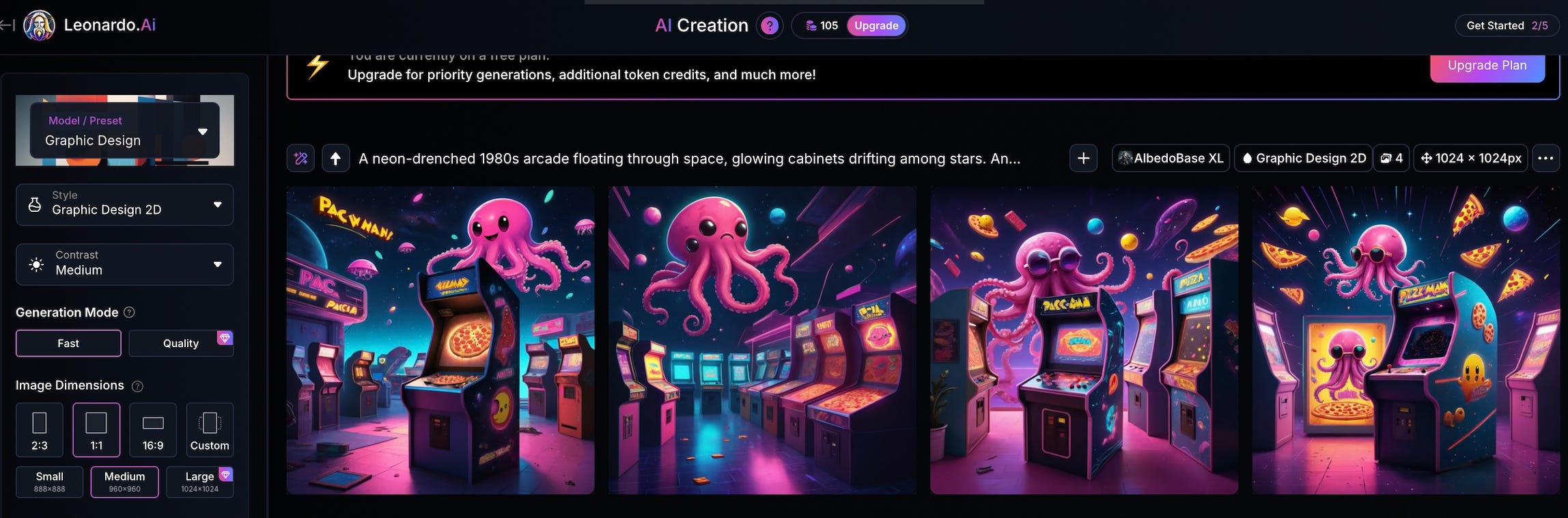
Alright, don’t like arcades? Hate Pac Man? Hate Pac Man enjoying the aforementioned arcades? Ok, let’s try to get more lifelike and detailed with our prompt. This time, I’m running a new and detailed prompt through one of the legacy models that promises a more “lifelike” look:
A gritty cinematic scene of a down-on-his-luck former bowling champion and a tired birthday clown sitting side by side in a retro American diner booth at night, sipping coffee. The bowling champ looks worn out, wearing a faded bowling shirt with a broken trophy beside him. The clown still has smudged face paint and a deflated balloon animal on the table. Neon diner lights glow through the window, creating a moody, melancholic atmosphere with detailed realism and filmic lighting.
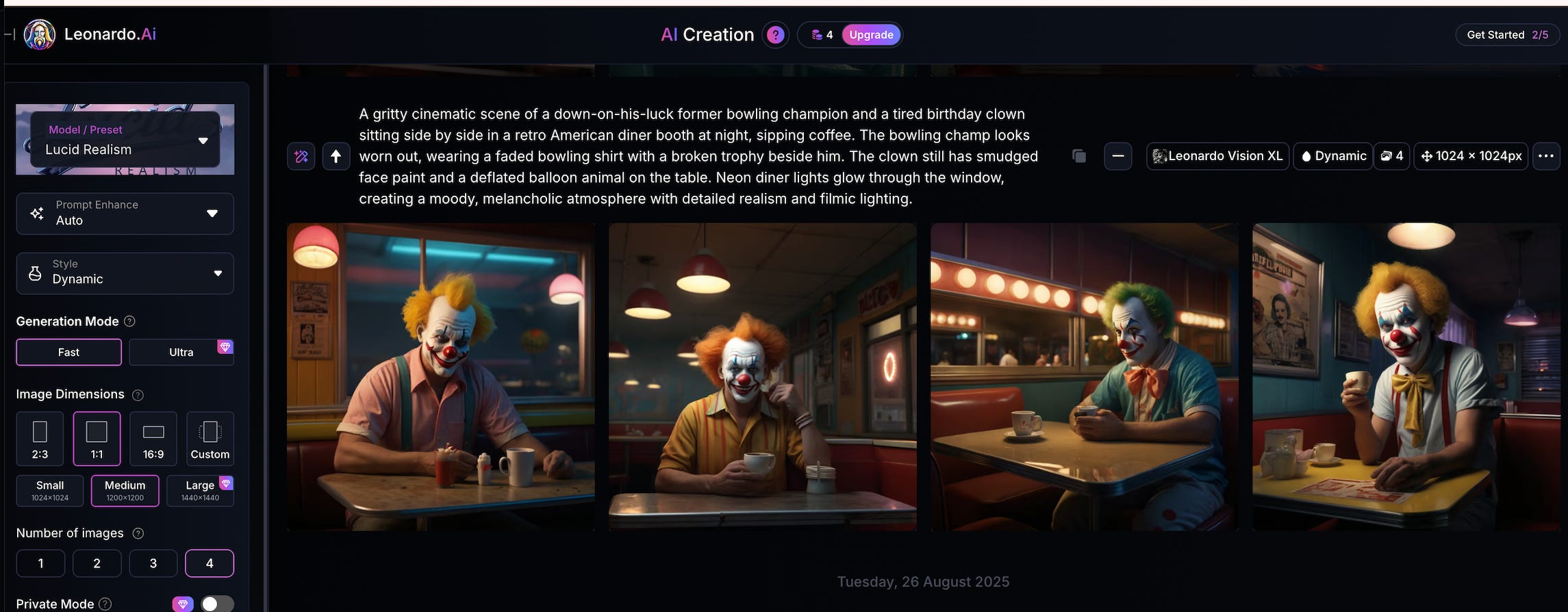
Where the bowling champ at? Did that terrifying clown scare him away? The legacy model might need an upgrade…so let’s try a couple of the newer (and more expensive to generate) models that claim more “realism”. Here’s Lucid Origin and Lucid Realism with the same prompt:
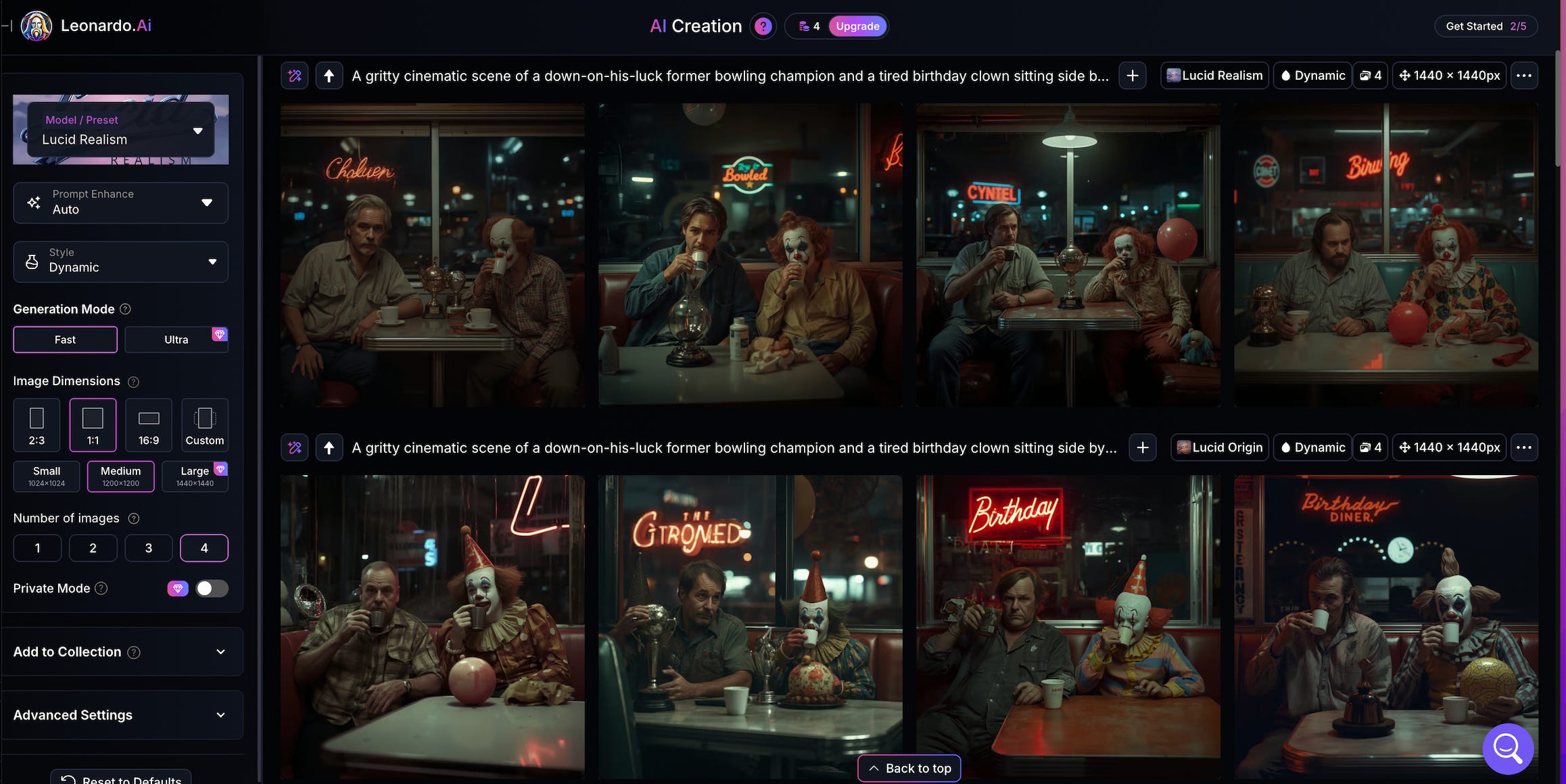
We have a bowler! Hooray! Other things you can do here: train your own model and, if you’re not feeling creative, Leanardo also offers options to dish a random prompt at you or it can improve upon your prompt with the click of button.
FLOW STATE
This one is really fun and essentially works like a canvas where a single prompt unleashes a waterfall of different image style options. This is for those of us that don’t like to sift through a bunch of pre set models that are often just riddled with the same buzzwords to get you to use them.
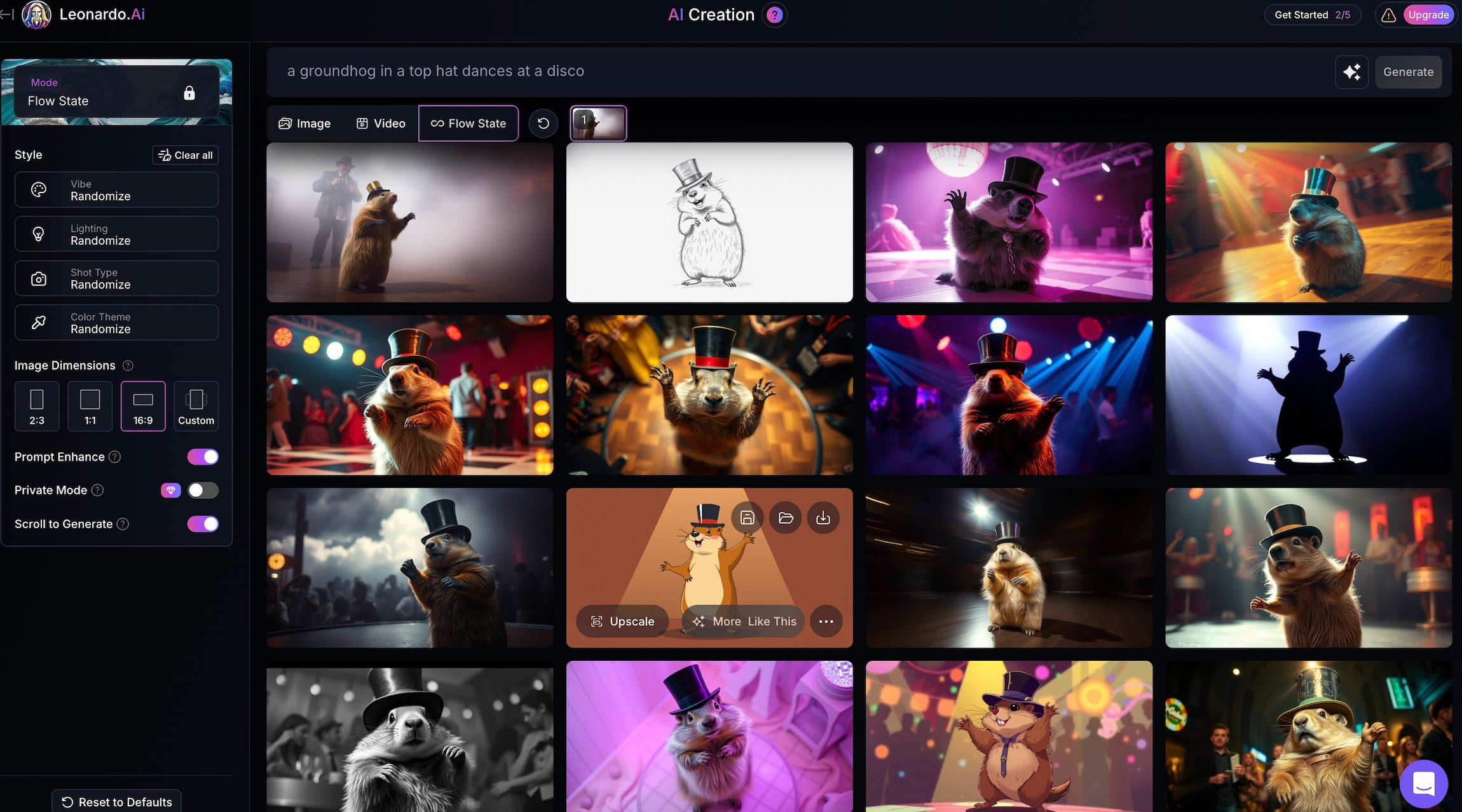
Naturally, we have a groundhog in a top hat dances at a disco prompt winner below:

REAL TIME GENERATION + REAL TIME CANVAS
Another couple fun spins on image generation lets users prompt and see changes in super real time, meaning barely any wait time. This one’s for all the impatient, ADD-leaning folks who can’t stand waiting those precious few seconds for an image to render.
Real-Time Canvas Draw lines on a canvas, and the AI tries to interpret what you’re creating in real time. Kinda like Mario Paint, but way smarter. At first it usually spits out nonsense, but once you add prompts it morphs on the fly. Honestly, this feature feels more like a novelty to me:
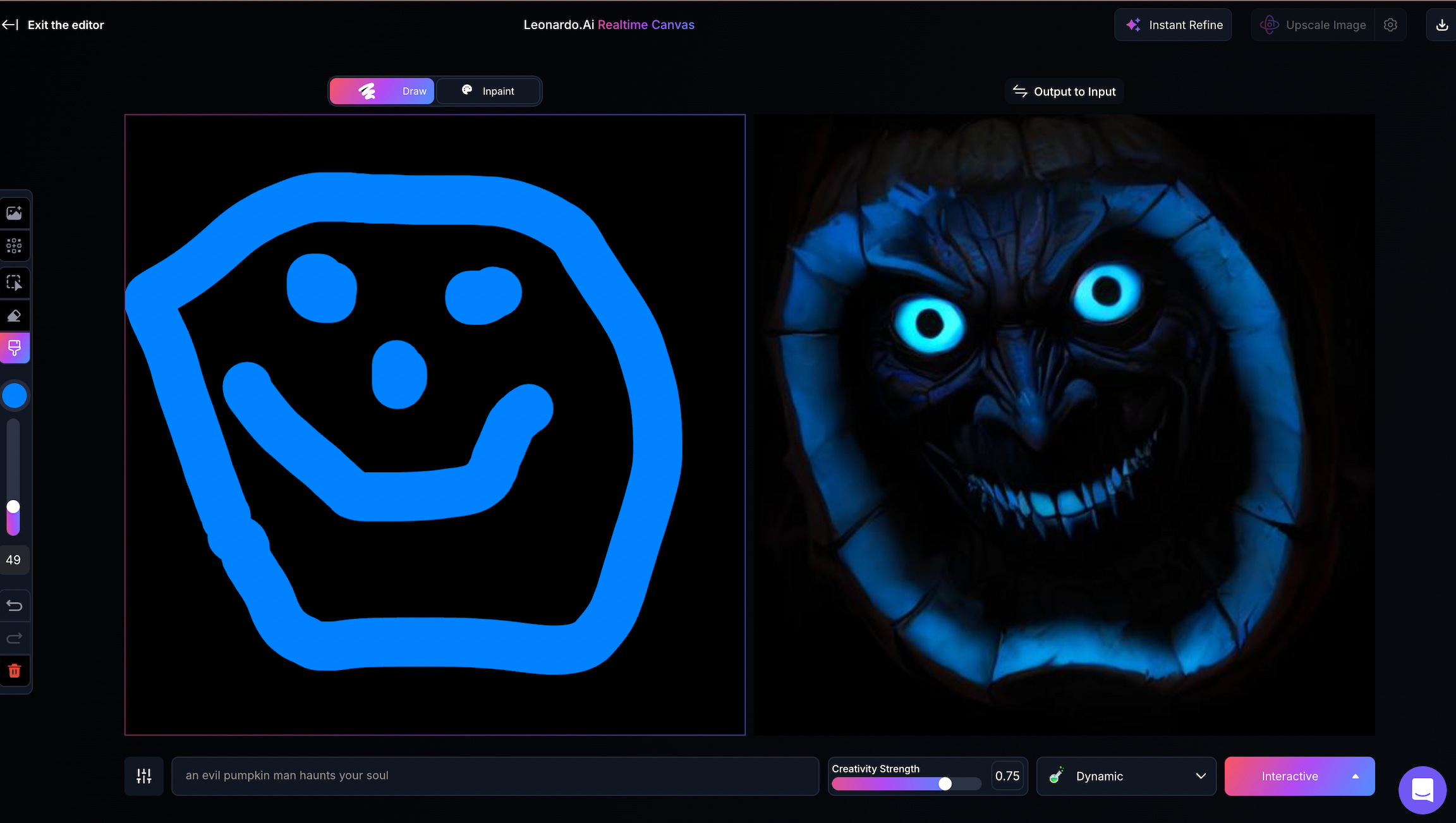
Real-Time Generation Another fun one I could spend hours with, even though it’s pretty buggy and all over the place. Remember the end of Michael Jackson’s Black or White video, when all the faces morphed into other faces super quick and in real time? It’s kind of like that, but here, your prompts drive the changes and the viewer gets images in absolute real time. Lot of styles to choose from here:

THE EDITING OPTIONS: MOTION! UPSCALE! CANVAS EDITOR!
As promised, Leonardo isn’t just for image prompting.
Its Canvas editor drops your image into a Photoshop-esque interface and lets you handle all the basics (erase, add text, remove backgrounds, etc.). On top of that, you can use AI to isolate portions of your image and tweak them with prompts. So if I want to drop a penguin into my octopus arcade shenanigans, then I shall.
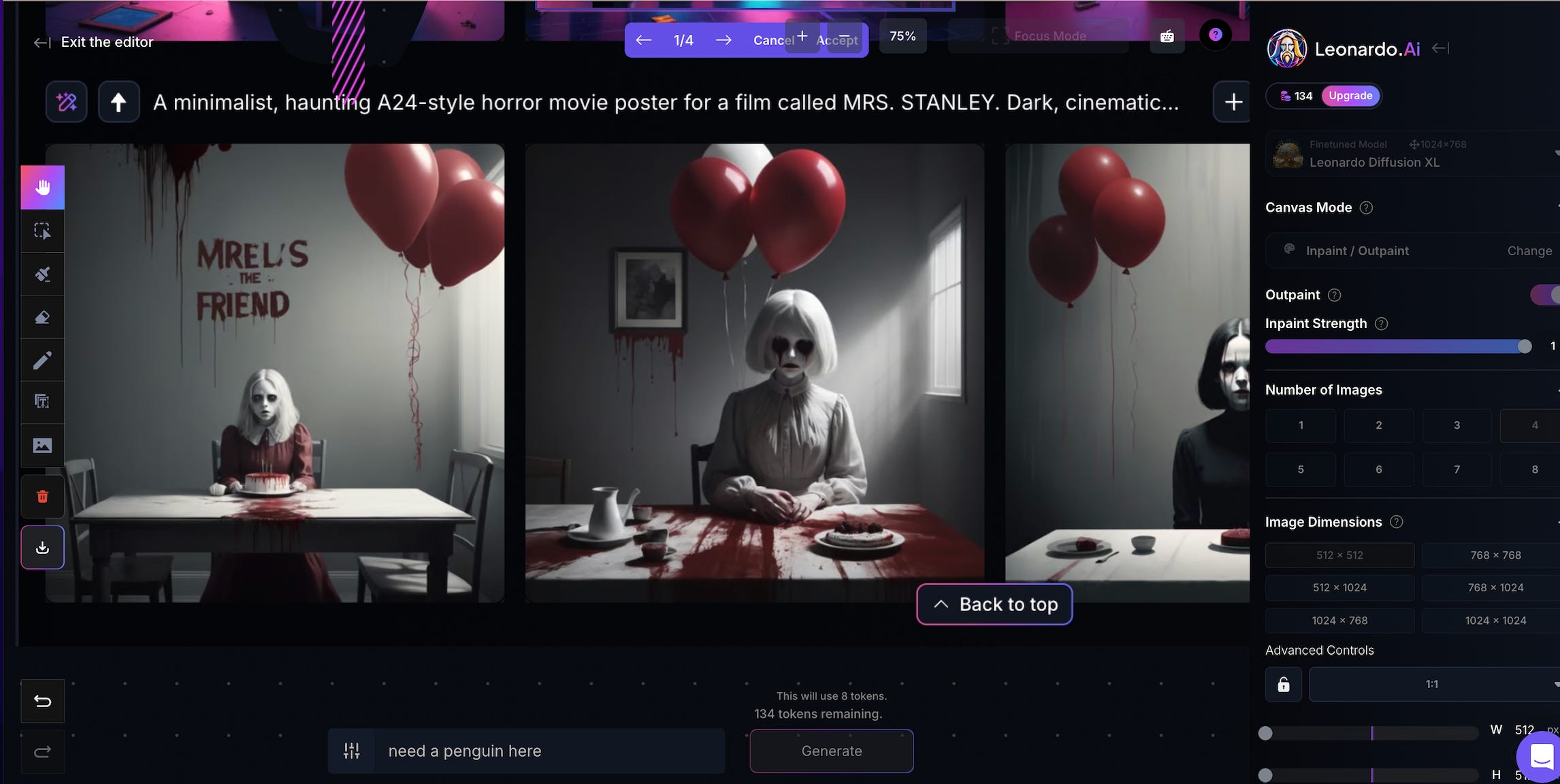
While not wildly unique outside of the prompting, it’s a nice tool to have baked in, making Leonardo more of a one-stop shop for editing.
You can also upscale images and even put them into motion, similar to Veo3, which requires a more premium subscription.
LIMITATIONS
Like many of these prompt to anything visual tools, we’ve got the usual suspects of issues here:
Generation failures and prompts misunderstood: Similar to Midourney, the tool takes your prompts and rolls with it. Sometime it spits back something better and sometimes you want to tear your hair out because you asked for a penguin and it gave you an elephant. I had lots of shenanigans trying to get something close to what I was envisioning.
Images aren’t very photo realistic: Not sure how much we can ask of these tools now, but we’re obviously not at the point where a lot of his can pass as full human.
Advanced features gated via paywall: Free gets you 150 credits a day but you can’t touch video, upscale and some of the other features. Credits go fast here.
OVERALL
Leonardo shines most as a time-saving creative scratchpad or place of experimentation, rather than a finishing tool, and probably isn’t going to fully replace a designer or editor on a high-level polished campaign that requires photo realism. But it can replace hours of prep work, so the design pros can focus on refinement instead of grunt work.
Some ways it can be useful in a production workflow, given its limitations:
Storyboards or moodboard creation + style exploration: Quickly generate visual references for a pitch deck, treatment, or lookbooks instead of hours pulling stock or commissioning concept art.
For game designers or set designers: I could see this being super handy for sketching out the initial phases of set or testing character asset or patterns in the game design world.
Print-on-Demand / Merch: Create base artwork for shirts, posters, or stickers to supplement production campaigns. You might even be able to snag a logo out of it.
It can also crank out thumbnail comps or social media filler content if the audience has tolerance for it.
In short, Leonardo is fun and easy tool for experimentation and great for early-stage exploration, pitches, and fast-turnaround marketing. But it’s more of an assistant than a replacement in production.